
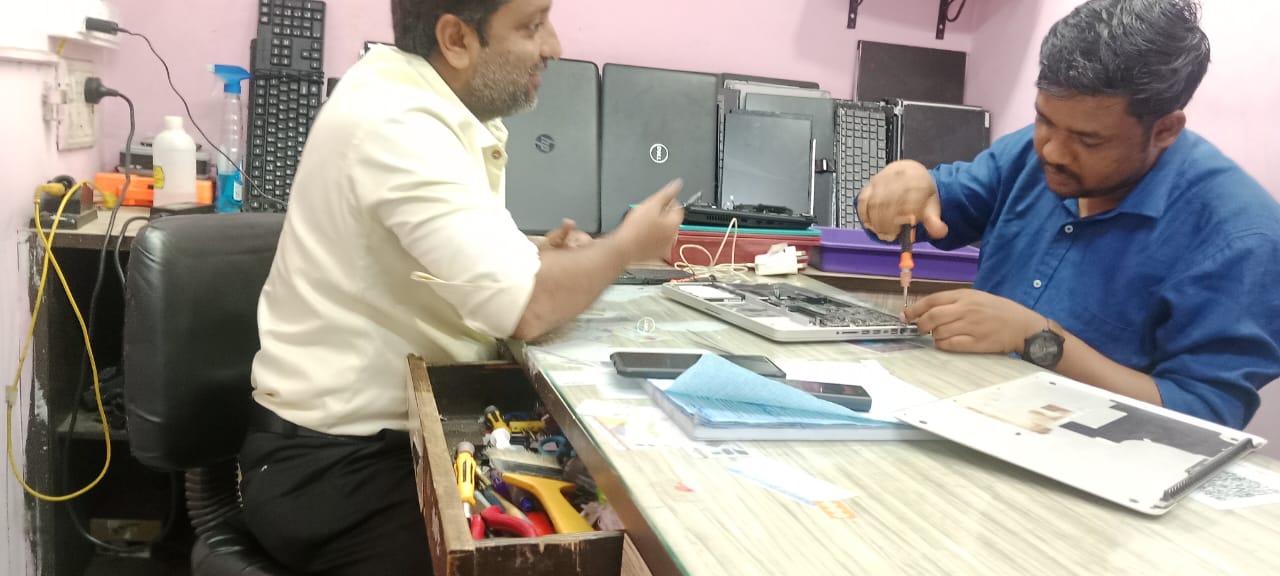
The motherboard is the heart of every laptop, and in the case of HP laptops, it plays a vital role in ensuring smooth performance by connecting all essential components like the processor, RAM, storage, and ports. When the motherboard starts to fail, it can trigger multiple system malfunctions, making it one of the most critical HP Laptop issues we fix at our service center.
Unlike minor hardware faults, HP Laptop Motherboard issues can cause complete device failure if ignored. Problems such as sudden shutdowns, no power, display errors, or charging failures often point to a deeper motherboard-level concern that requires expert attention.
At HP Service Care, a trusted HP Laptop Service Center in Kolkata, we aim to guide users in identifying the early warning signs of motherboard problems. This article will help you understand the symptoms, causes, and the importance of timely repair, so you can take quick action before the issue worsens.
What is a Laptop Motherboard?
The motherboard is the main circuit board inside your HP laptop and works as the central hub that connects and powers all major components such as the CPU, RAM, GPU, storage, and peripheral ports. Every action your laptop performs—whether it’s booting up, running applications, or connecting external devices—relies on the seamless communication handled by the motherboard.
Because it controls every critical function, the motherboard’s health directly impacts your laptop’s performance. A faulty board can lead to system crashes, startup failures, or complete device breakdown. Understanding its role is the first step in learning how to know if your HP laptop needs a motherboard repair, so you can address problems early before they lead to costly replacements.
Common Signs Your HP Laptop May Have a Motherboard Problem
Spotting the common signs of laptop motherboard problem early is essential to prevent costly repairs or permanent damage. Since the motherboard controls every function of your device, even small glitches can affect overall performance. Here are the key symptoms to watch out for, explained in detail by HP Service Care, a trusted HP Laptop Repairing Center in Kolkata.
Laptop Fails to Power On
When your HP laptop refuses to start, it may indicate a serious motherboard issue.
- No lights, no fan sound, and no response at all.
- If the power adapter works fine, the problem could be with the motherboard, not the charger.
Random System Freezes & Blue Screen Errors
Unexpected crashes are one of the most noticeable signs of motherboard trouble.
- Frequent Blue Screen of Death (BSOD) errors.
- Sudden restarts or freezes even when other components are in good condition.
Overheating Issues
If your laptop heats up abnormally, it could point to a deeper problem.
- Excessive heating even during normal tasks.
- Often caused by faulty power delivery or chipset malfunction on the motherboard.
Beeping or Error Codes During Startup
Startup errors can signal that the motherboard is struggling to communicate with components.
- Unusual BIOS beep codes indicating hardware problems.
- Error messages about storage, memory, or other hardware not being detected.
Port & Connectivity Failures
When multiple ports stop functioning, it’s usually more than just a loose connection.
- USB, HDMI, audio jack, or charging port not working.
- These issues often point to damaged motherboard circuits, requiring expert Laptop Repairing Service.
Battery or Charging Issues
Charging problems are often linked to motherboard faults, not just the battery.
- Laptop not charging despite using a working adapter.
- A common cause is failure of the motherboard’s power IC, which requires chip-level repair.
Display Problems
Screen-related problems can sometimes stem from the motherboard rather than the display itself.
- Blank screen, flickering display, or no video output.
- Professional diagnosis is necessary to confirm if it’s the GPU, screen, or motherboard fault.
By recognizing these symptoms early and consulting HP Service Care, you can prevent further damage. As a leading HP Laptop Repairing Center in Kolkata, we provide expert chip-level solutions for HP Laptop Motherboard issues, ensuring long-lasting performance.
Common Causes of Motherboard Damage in HP Laptops
Understanding the common causes of motherboard damage in laptops can help you take preventive steps and extend the life of your HP device. Since the motherboard is the backbone of your laptop, even minor damage can disrupt its functionality. Below are the most frequent reasons behind motherboard failures in HP laptops:
Power Surges and Electrical Issues
Sudden voltage fluctuations or unstable power supply can burn out delicate motherboard circuits. Using non-original adapters or unprotected charging setups increases the risk significantly.
Liquid Spills or Moisture Exposure
Accidental coffee, water, or juice spills are among the top causes of motherboard failure. Even a small amount of liquid can corrode circuits or cause short-circuiting inside the laptop.
Physical Damage (Drops, Impacts)
Dropping your laptop or subjecting it to strong physical impact can crack the motherboard or loosen its connections, leading to long-term failures.
Overheating and Dust Accumulation
Continuous overheating due to poor ventilation or dust buildup can damage motherboard components over time. A blocked cooling fan often accelerates this issue.
Manufacturing Defects or Aging Components
In some cases, laptops may suffer from inherent design flaws or the natural wear-and-tear of components. With aging, soldering points and circuits can weaken, causing unpredictable issues.
By being aware of these causes, you can adopt better usage habits and timely servicing to reduce the risk of motherboard problems.
How to Confirm If It’s a Motherboard Issue
Many laptop problems may look like motherboard failures but could actually be caused by simpler issues like a faulty charger, loose RAM, or display faults. Knowing how to confirm if it’s a motherboard issue will help you avoid unnecessary replacements and get the right solution. Here’s a simple troubleshooting process you can follow:
Step-by-Step Troubleshooting
- Check Charger & Battery
Ensure your HP laptop’s charger and battery are working properly. Try another compatible charger if available. If the laptop still doesn’t respond, the issue may be deeper. - Test with External Monitor
Connect your laptop to an external monitor. If there’s no display on both the laptop screen and external monitor, it could point to a motherboard or GPU problem. - Remove and Reseat RAM & Storage
Sometimes, a loose RAM stick or storage drive can prevent the laptop from booting. Reseating these components may solve the problem, but if it persists, the motherboard may be at fault. - Listen for Beep/Error Codes
During startup, your laptop may produce beep sounds or show error codes. These signals often indicate whether the fault lies with the motherboard or another component.
When to Seek Professional Help
If your laptop still fails after basic checks, it’s time to consult experts. Attempting chip-level repairs on your own can worsen the damage. A trusted laptop repairing service like HP Service Care has the right tools, experience, and genuine parts to diagnose and fix motherboard-related issues safely.
Repair vs Replacement: What’s Better?
When your HP laptop faces motherboard failure, the biggest question is whether to repair it or replace it entirely. Understanding the difference between laptop motherboard repair vs replacement can help you make a cost-effective decision.
Situations Where Repair is Possible
In many cases, skilled technicians can resolve motherboard faults through chip-level solutions.
- Replacing faulty ICs or capacitors.
- Fixing short circuits caused by minor burns.
- Repairing damaged power or charging sections.
- Reflowing or resoldering broken connections.
If the damage is limited, a professional laptop repair service like HP Service Care can restore your laptop’s functionality at a fraction of the cost of replacement.
When Replacement is the Only Solution
There are times when should a laptop motherboard need to replace instead of repairing it.
- Severe physical cracks on the motherboard.
- Burnt circuits beyond chip-level repair.
- Extensive liquid damage that has corroded multiple layers.
- Manufacturing defects that keep recurring after repair.
In such cases, replacing the motherboard is the only way to ensure stable performance.
Cost Considerations: Repair vs Full Motherboard Replacement
- Repair: Usually more affordable, especially when the issue is minor and solvable at the chip level.
- Replacement: More expensive since it involves installing a brand-new motherboard. However, it may be worth the investment if your laptop is relatively new and in good condition otherwise.
At HP Service Care, we always diagnose the issue first and guide you honestly on whether repair or replacement is the better choice for your HP laptop.
Why Choose HP Service Care for Motherboard Repair in Kolkata
When it comes to reliable laptop repair service in Kolkata, HP Service Care stands out as a trusted name for quality and affordability. If you are facing motherboard troubles, here’s why you should choose us:
- Experienced HP-Certified Technicians
Our team is trained and certified to handle all types of HP laptop motherboard issues with precision. - Chip-Level Motherboard Repairing Expertise
From fixing faulty ICs to addressing power supply failures, we specialize in advanced chip-level repairs that many general service centers cannot perform. - Genuine Spare Parts & Affordable Pricing
We use only original HP parts to ensure durability, while keeping our service costs budget-friendly. - Onsite Service Option for Quick Diagnosis
For your convenience, we offer onsite inspection and diagnosis, saving you both time and effort. - Same-Day Repair Availability for Many Issues
Minor motherboard issues can often be fixed the same day, helping you get back to work without long delays. - Contact HP Service Care
📞 Phone: +91 98317 87449
🌐 Website: www.hpservicecare.com
📍 Address: HP Service Care, Kolkata
Choosing HP Service Care means choosing professional service, genuine parts, and peace of mind for your HP laptop repairs.
Preventive Tips to Avoid Motherboard Problems
While motherboard issues can’t always be predicted, adopting good habits can significantly reduce the chances of damage. Here are some practical tips to keep your HP laptop safe and running smoothly:
- Use Original HP Chargers & Adapters
Always rely on genuine HP power accessories to avoid voltage fluctuations and electrical damage. - Avoid Eating/Drinking Near the Laptop
Even small spills can cause short-circuits or corrosion on the motherboard. Keep liquids and food away from your device. - Keep Laptop Clean and Dust-Free
Dust buildup can block airflow, leading to overheating. Regular cleaning helps maintain proper ventilation. - Use Surge Protectors or UPS
Protect your laptop from power surges and sudden outages by plugging it into a surge protector or UPS. - Regular Maintenance & Servicing
Periodic check-ups at a professional service center can help detect and fix small issues before they become major problems.
By following these preventive measures, you can extend your laptop’s lifespan and minimize the risk of unexpected motherboard failures.
FAQs
1. What are the early signs of an HP laptop motherboard problem?
Some common signs include sudden shutdowns, charging issues, random freezes, blue screen errors, and ports not working. If your laptop shows multiple symptoms, it may point to a motherboard issue.
2. Can a laptop motherboard be repaired or must it always be replaced?
Not always. Many issues can be fixed with chip-level repair, such as replacing faulty ICs or repairing power circuits. Replacement is only needed in severe cases.
3. How much does it cost to repair an HP laptop motherboard in Kolkata?
The cost depends on the extent of the damage. Basic chip-level repairs are usually more affordable, while a full motherboard replacement costs more. At HP Service Care, we provide transparent and reasonable pricing.
4. Is it safe to continue using a laptop with a faulty motherboard?
No. A faulty motherboard can lead to sudden shutdowns, data loss, or further hardware damage. It’s best to get it checked immediately.
5. How long does an HP motherboard repair usually take?
Minor repairs can often be completed on the same day. More complex issues may take 2–3 days, depending on parts availability.
6. Will my data be safe during motherboard repair?
Yes, in most cases your data remains safe since the hard drive/SSD is separate. However, we always recommend backing up important files before repair.
7. Can overheating permanently damage the motherboard?
Yes. Continuous overheating can burn circuits or damage the chipset. Regular cleaning and proper ventilation help prevent this.
8. Do you provide onsite motherboard repair service in Kolkata?
Yes. HP Service Care offers onsite diagnosis and basic fixes. For advanced chip-level repairs, the laptop may need to be brought to our service center.
9. What’s the warranty on repaired or replaced motherboards?
We provide a warranty on both repairs and replacements, depending on the type of service performed. Warranty details are shared during service confirmation.
10. How can I prevent future motherboard damage?
Use original HP chargers, keep your laptop dust-free, avoid liquid spills, use a surge protector, and get regular servicing to maintain your device’s health.
Conclusion
Motherboard problems can show up in many ways—such as sudden power failures, frequent freezes, charging issues, or non-responsive ports. These warning signs should never be ignored, as delaying repairs can lead to permanent damage or even complete laptop failure.
Taking quick action is the key to saving both time and money. If you notice any of these issues, don’t attempt risky DIY fixes—reach out to professionals instead.
At HP Service Care, we provide reliable, affordable, and expert motherboard repair solutions in Kolkata. With certified technicians, genuine parts, and same-day service for many cases, we ensure your HP laptop gets the care it deserves.
📞 Contact us today at +91 98317 87449 or visit www.hpservicecare.com to book your service.
Great article — very clear and practical! 👍 The signs you’ve explained (like sudden shutdowns, port failures, overheating) make it much easier for HP laptop users to know when it’s time for motherboard repair. Thanks for sharing such useful insights!
Very informative post! It clearly explains the common signs of motherboard failure. However, it would be great if you could also include some preventive tips — like regular cleaning, checking power supply issues, or avoiding overheating — to help users extend their HP laptop’s motherboard life.
Nice and helpful article! It covers most of the major symptoms of motherboard issues really well. Adding a short section on the average repair cost or how to choose a reliable HP service center would make it even more useful for readers.
Excellent post! The explanation about laptop motherboard failure is very clear and easy to understand. It would be even better if you could include a short checklist or quick test steps for users to identify motherboard problems at home.